
Online, app & POS ordering
Ordering, without the disconnect.
Bring your branded website, customer app and point of sale into one connected ordering system.
- Branded web and mobile ordering
- POS ordering for your team
- Menus, modifiers and availability
The Restrova platform
Bring your website, customer app, POS, kitchen and delivery team into one shared workflow.
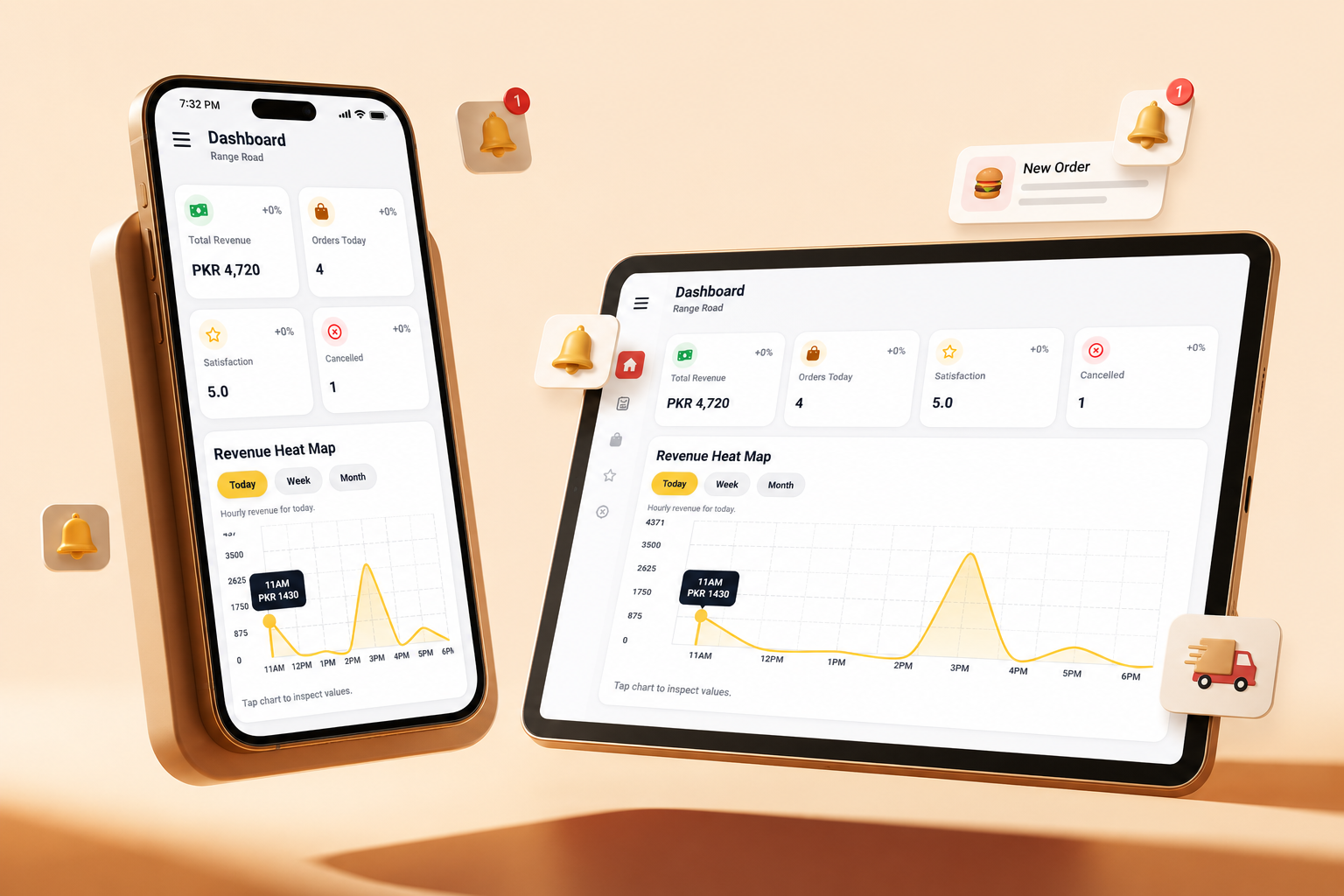
Behind every great order
Great service starts behind the scenes. Bring your orders, stock, riders and daily reporting into one connected admin experience.
Online, app & POS ordering
Bring your branded website, customer app and point of sale into one connected ordering system.
Live delivery tracking
Keep your team and customers informed, from rider assignment to the last mile.
Rider stats & settlements
Bring delivery performance and payments into the same operational view.
Inventory & stock control
Keep availability aligned with what your kitchen can actually prepare.
Loyalty, discounts & coupons
Build the next visit into the ordering experience, with offers from your restaurant.
A branded admin experience
Manage your restaurant from a connected admin hub, shaped around the way you work.
Our service includes a branded customer mobile app published on the Apple App Store and Google Play Store, a dedicated admin portal, and control over menu listings, item prices, delivery radius, restaurant timings, riders and other key settings.
Branch requirements, configuration and any additional custom scope are discussed before launch.
Explore pricingDownload Restrova AdminYour restaurant. Your next chapter.
Start with your colours. See your app come to life.
Restrova capabilities
Take orders online and at POS, manage stock, coordinate riders, and bring customers back—all through a setup shaped around your team.
Request a Free DemoStart with the problem your restaurant needs to solve. These pages explain the customer journey, the staff workflow and the questions to bring to a demonstration.
How can customers order directly from my restaurant?
Use a restaurant-branded website for browser orders. Plan the menu, checkout, pickup or delivery, and the staff who receive the order.
When does my restaurant need its own app?
Give returning customers an Android or iOS route to your menu. Review published app examples, account ownership and the launch responsibilities.
How do the customer and staff tools fit together?
Connect the customer ordering channel with Admin, stock decisions, preparation, Fleet and the manager's review. Start with a complete sample order.
How can staff follow counter and online orders?
Compare walk-in, website and app orders in Admin, then follow preparation and handoff. Demonstrate any printer, payment or fiscal requirement separately.
How should stock decisions affect what we sell?
Agree stock units, counts and availability responsibilities. Test a shortage and a changed order rather than assuming every stock adjustment is automatic.
How can we follow delivery after food leaves the kitchen?
Review rider assignment, delivery status, live tracking and settlement in Fleet. Test the intended phones, permissions and connection interruptions.
What should we check before adding another branch?
Compare branch menus, order destinations, staff access and delivery areas. Confirm reporting, rollout responsibilities and the complete branch pricing scope.
What will we pay as processed sales change?
Compare the published onboarding and monthly fee with your expected Restrova-processed sales. Confirm hardware, taxes and other exclusions in writing.
Restaurant management software connects the tools customers see with the work staff do. Restrova provides customer ordering channels, Admin for restaurant operations and Fleet for delivery. Use your menu and staff roles to evaluate the complete setup.
A customer orders through your website or branded app, or staff enter a counter order using POS. Check the branch, items and fulfilment choice.
The team reviews stock and menu availability, follows preparation and resolves changes with the customer. Demonstrate which stock updates are automatic and which need staff action.
Confirm the packed items and the collection handoff. For delivery, use Fleet assignment, status and tracking; test the rider's actual phone and connection.
Compare order records with sales and delivery reports. For several branches, repeat the example with different menus, staff access and delivery boundaries.
Compare the pricing and fee examples, read about Restrova, and use the English and Roman Urdu buyer questions to prepare for a live demonstration.
Open more ways to order
Serve customers online, in your apps, and at the counter through a connected ordering setup.
Reduce stock surprises
Manage what is available and keep your menu operation aligned with the stock your team can actually sell.
Fewer where-is-my-order calls
Keep dispatch informed and give customers the visibility they expect once an order leaves the restaurant.
Run a more accountable fleet
Turn delivery activity into a clear record your team can review, compare, and settle.
Give regulars a reason to return
Build repeat ordering into your direct channel with rewards and flexible ways to run an offer.
Make the workspace your own
Give your team a clear control center that can match your brand and support the rhythm of busy service.
A short restaurant walkthrough is enough for us to recommend the most useful first step.
Request a free demoRestrova’s settings demonstration introduces system preferences and configuration for restaurant ordering and operations.
Published on YouTube:
Watch Restrova Settings Demo | Restaurant System Setup & Configuration on YouTube
Choose a practical workflow and bring your own menu, staff responsibilities and service requirements to the demo.